












Menu


This page may contain paid affiliate links. If you buy or register through them, MyFxBots may earn a commission or referral fee. See our disclaimer for details.
Latest Tick Data Suite Articles, News & Updates
This page is an introduction to Tick Data area where we will provide you with a step by step guide that will lead you through the whole tick data backtesting process, first you will be able to get free historical Forex tick data, download it and you will learn how to use it in backtesting Metatrader 4 expert advisors to obtain a modeling quality of 99%. If you are very new for backtesting it's better to buy Metatrader Backtesting and Optimization Course, which was created specifically for persons who are new to Forex and Metatrader 4 backtesting.

Scope
Non scalping or pip hunting EAs are suitable for backtesting using MT4 history center data. While if you are using a scalping or pip hunting or an EA that closes trades within 1-15 pips, even the smallest feed differences could result in very large impact.
If the Metatrader terminal does not have access to the real tick data, this causes the issue, but in the best instances it's just limited to the minute bar data that pushes it to result in strategy backtest - false - ticks, generated along a process of fullfilment using the available small timeframe data. This doesn't have an importance if the expert advisor doesn't use stoploss and takeprofit targets of over 100 pips, but if the EA is based on scalping a few pips here and there, the backtest resulting could be completely deceptive.
That's why it's extremely important to use the most possible high quality data in testing, and you'll find here some recources that can be used in backtesting when needed.
Tick data guides
- How to download free tick data: explains the download process using several free tick data sources as Dukascopy, Oanda, Pepperstone, Integral, MB Trading and Gain Capital.
- Dukascopy tick data download with JForex: a guide of an in-depth details about the download procedure using the Dukascopy JForex client.
- Dukascopy tick data Download and parsing with Birt's PHP scripts: a step by step details on how to use the PHP scripts written by Birt for downloading and processing Dukascopy tick data.
- How to prepare your tick data for Metatrader 4: a guide to modify the tick data format to be compatible with Metatrader 4 - from CSV to FXT.
- How to backtest using tick data with Metatrader 4: a review of the options available for using tick data with the Metatrader 4 platform.
- How to backtest using tick data - the Tick Data Suite guide: a guide that describes the Tick Data Suite usage, the preferred tick data activation method that has a lot of features that is missed in its alternative. It is fully supported and much easier to use. See the Tick Data Suite feature matrix for a full comparison.
- How to backtest using tick data - the free Birt's patch script guide: a tutorial delving into the usage and limitations of the free method that enables tick data backtesting.
- FAQs and Troubleshooting.
- Downloads.
Metatrader Backtesting and Optimization Course
Using tick data needs enogh computer knowledge. If you need more details info or if an issue faced you and was not resolved, this should be a cause to get your copy of Metatrader Backtesting and Optimization Course - formerly; Guide to Getting Rich with Forex Robots. It includes a bundle of very nice video material dicussing about 99% of backtesting process step by step, designred for low experienced users concerning computers, in addition to a FAQ collecting the most common problems that may face you aided by screenshots for every step in the video. But the scripts there may be outdated now.
At first glance to read the old name of the product - Guide to Getting Rich with Forex Robots - you may think it's some baloney, but if you checked it out, you will find that it's so useful for less skillful persons that ended up to be affiliates. In addition to the 99% backtesting info, they added many usefule data about EAs, starting from backtesting basics, passing with money management strategies and a very thick "how to spot scam EAs" area that will make you more aware of many commercial EAs behaviour and their backstage processes.
As a reward there's a dedicated section to become a signal provider, but I don't think that this is a good idea. Any how, if you are a Forex junior, or if you need to take a look behind the scenes of EAs selling, this guide may really save you much money. They are providing a very proffissional support system, they may have some delays in reply nowadays. The only one major flaw regardless of the support system delays as it seams to be, is the product name, it's much better if it was "Guide to avoid Losing Your Money with Forex Robots", this guide costs $87.
- The main differences between their tools suite and the tools present here are:
- If you want to load a single MT4 instances from the same folder, Birt's patch script or Tick Data Suite don't need a loader, otherwise you may need a loader.
- If you are using MT4 builds 402 or lower with Birt's patch script and an older OS as Windows XP or Windows Server 2003 the 2GB FXT limit still applies just in this case.
The Walk Forward Analyzer
This is indirectly related to tick data as a built-in support for it, an excellent tool, giving you the ability to optimize your Metatrader 4 expert advisors in steps in a process called "Walk Forward Analysis", also described in the Metatrader Backtesting and Optimization Course. In other words, you optimize your EA for 3 months, then test it for the next one month to rate the best parameters resulting from optimization, then optimize it further for the next 3 months and so forth. The Walk Forward Analyzer fully automates this process and performs all the runs on your behalf, resulting in a comprehensive range of configuration parameters and a final elegant optimization report. It costs $29.95, the Walk Forward Analyzer is indispensable for anyone performing a serious EA development, but you may try it first for free for 14 days, download the trial version from its website, Andrew - the programmer - is very caring very well for the technical support without also losing sight of rational feature requests.
Tick Data Tools History
As tick data tools are frequently updated, Here is a Tick data changelog, listing every change applied to the scripts.
Posted On:
Thurs, 29 Feb 2024
Backtesting in forex trading is the process of testing a trading strategy using historical market data to evaluate its performance. It allows traders to assess the viability of their strategies and make necessary adjustments before risking real money in the live market. Purpose of backtesting Backtesting helps confirm strong and weak strategies before opening a position. It allows you to experiment with various adjustments to your trading strategy without risking open positions.

Posted On:
Sun, 25 Feb 2024
Backtesting a Forex expert advisor is a crucial step in evaluating its performance and determining its viability for real trading conditions. MetaTrader, one of the most popular Forex trading platforms, provides a built-in backtesting feature that allows traders to analyze their EAs using historical data. However, sometimes the default data may not be enough for comprehensive analysis. This is where Tick Data Suite comes into play.
Posted On:
Tues, 25 Apr 2023
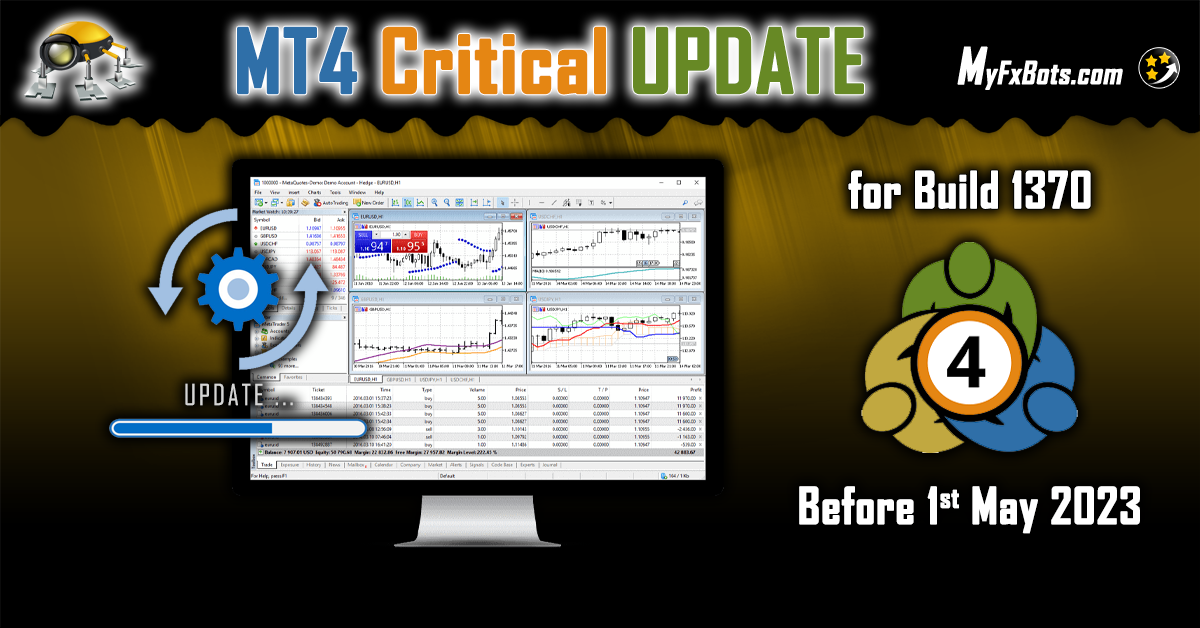
The traders using a version of MT4 older than build 1370 on Windows, their MetaTrader platform will stop working after May 1st, 2023. You should update your MT4 to the latest free version to ensure a seamless and uninterrupted trading experience. The latest MT4 build features improved platform stability and you can download it by following the instructions below: If you are a Desktop user, the update will be available through your MT4’s Live Update system.
Posted On:
Tues, 7 Mar 2023
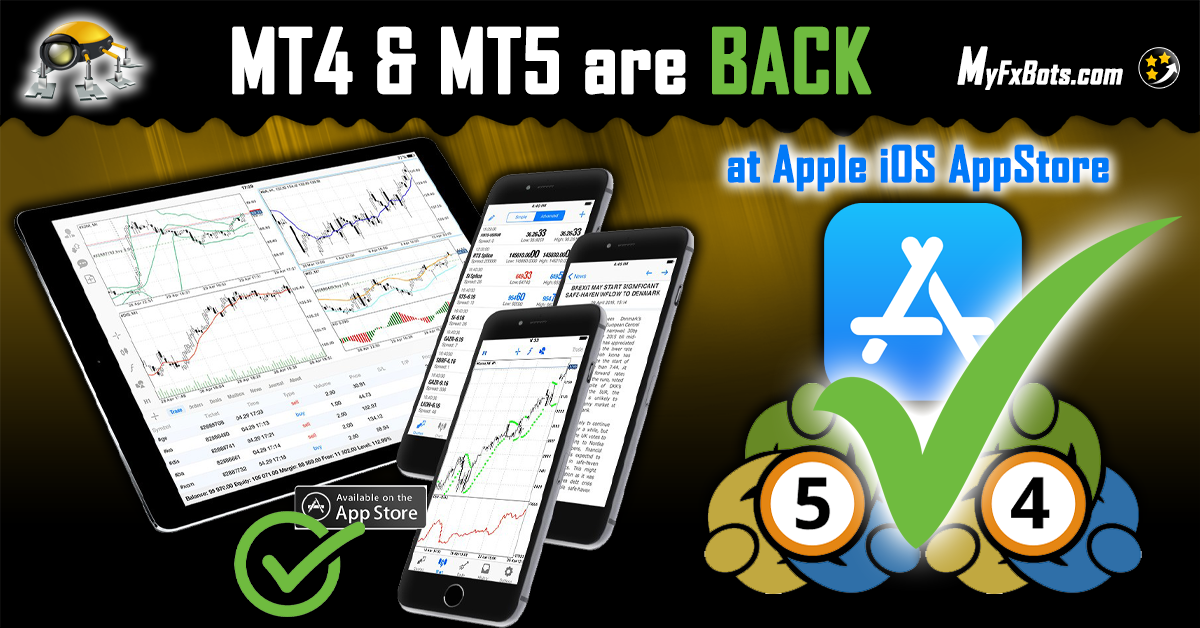
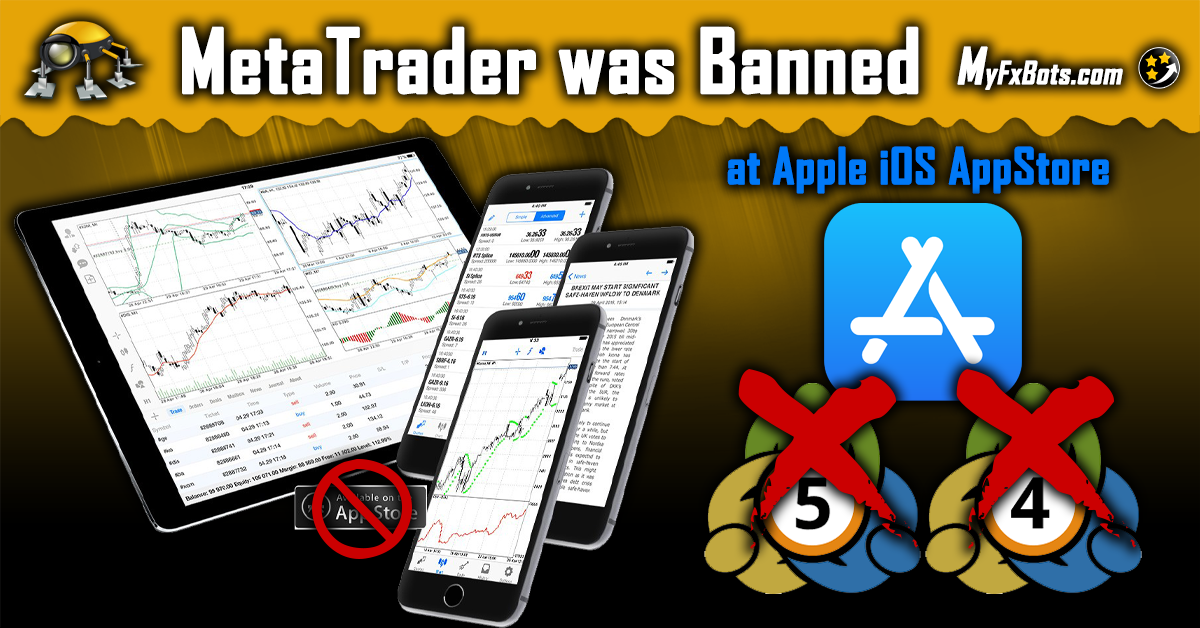
MetaTrader 4 and MetaTrader 5 Apps were reinstated on March 6th, 2023, and are now available on the AppStore. MetaQuotes has communicated with Apple regarding operational technicalities throughout the lengthy process of restoring the Apps back to the AppStore, providing further insights as needed. The iOS applications have been reinstated in the store after all issues have been resolved. Apple's requirements are fully met by our applications.
Posted On:
Mon, 26 Sep 2022
Apple removes the widely used and most popular Forex Trading Apps; MetaTrader MT4 & MT5 from App Store MT4 & MT5 apps are no longer on the App Store globally. The removal of popular trading apps is reportedly linked to the Western sanctions on Russia Apple appears to have pulled popular trading apps MetaTrader 4 and MetaTrader 4, also known as MT4 and MT5, from the App Store overnight in a move possibly linked to the Western sanctions.
Posted On:
Tues, 3 May 2022
Starting from Tick Data Suite v2.2.31, this major feature was added: it is now possible to run backtests using Renko bars natively. This was previously possible only with the assistance of 3rd party software through a cumbersome process with a somewhat unfriendly learning curve; now it is available directly in the Tick Data Suite Settings dialog and it can be easily configured with a few clicks. This is the first exotic bar type to get added with others to follow.
Posted On:
Mon, 4 Sep 2017
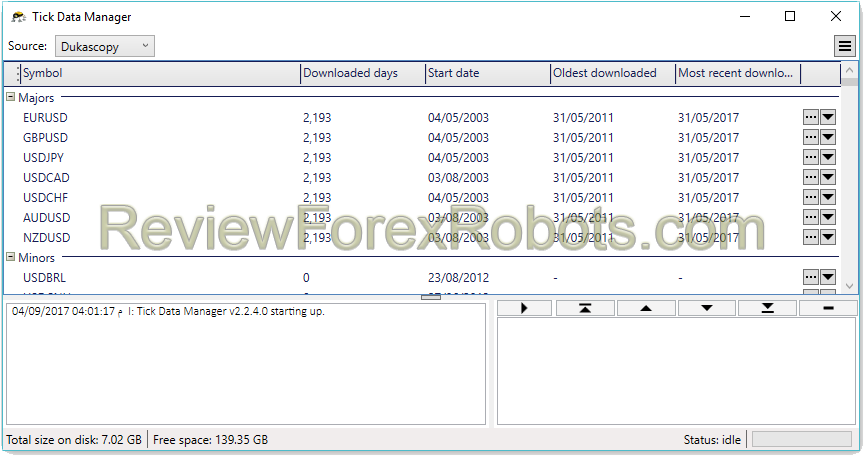
The Tick Data Suite is directed to persons that aren't impressed by huge colored and possibly flickering text words, so all what you'll read here are just facts that you need to know before purchasing your copy. Without a doubt, Forex strategies backtesting is one of the most effective methods to investigate about their profitability potential, it may be the best way if you can't afford the very extensive forward testing. However, with MetaTrader 4 - the most common Forex platform -

Posted On:
Wed, 16 Oct 2013
A lot of tick data sources are available online and this is an attempt to cover some of the most well and popular providers where tick data are free to download. Dukascopy is considered the best of all due to the data quality and accessibility. Dukascopy Introduction Dukascopy is known internationally as one of the best brokers nowadays. Many persons identify it as "The best ECN broker", and no bad behavior or attitude was noted from them until now. However their great obstacle is that
Posted On:
Wed, 16 Oct 2013
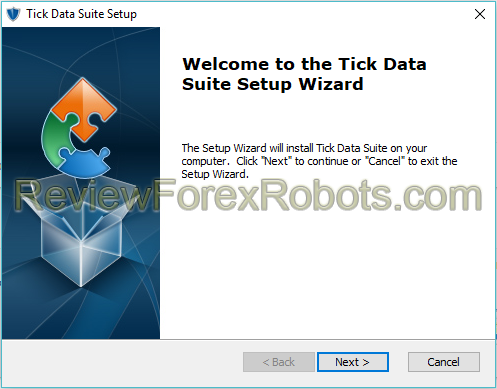
On arriving to this guide, it's assumed that you already downloaded the desired tick data and it was converted to an FXT file and several HST files, each of which is setting in its proper place. If the steps above were not done yet, you will need first to follow the How to download free tick data and the How to prepare the tick data for MetaTrader 4 guides. As a begin, the Tick Data Suite installer has to be used, you can find it on the tick data downloads page. After installation is
Posted On:
Wed, 16 Oct 2013
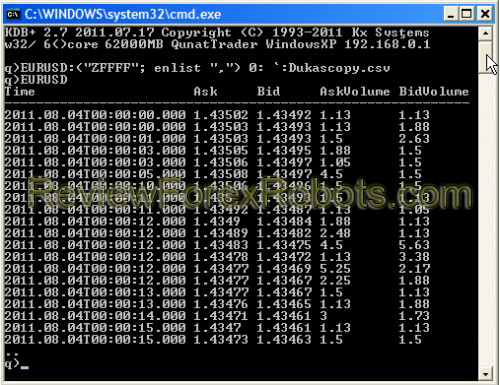
The available data in Dukascopy is raw in the form of files spanning only one hour, so it's obvious that tools will be needed to download and parse it. Before other methods to get the data were available, a series of scripts were useful to download Dukascopy free tick data, and they are still valid till now. PHP scripts are so simple, with non-commercial quality code, but working well. These PHP scripts are available in the tick data downloads page. There are 4 scripts A script to download
Posted On:
Wed, 16 Oct 2013
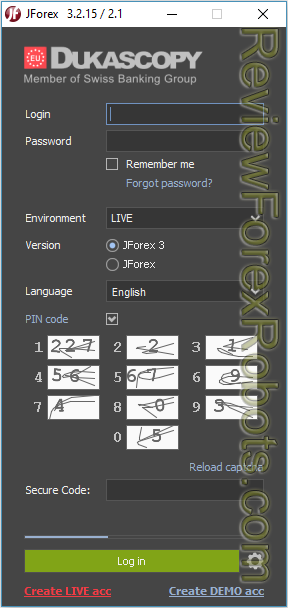
Start with registering a demo account with Dukascopy and launch the JForex platform (of course a live account can be registered, the data process is the same). You will receive a mail with login data, use it to login (the account ID isn't needed to login), navigate to the Tools menu then select Historical Data Manager. The Historical Data Manager interface should appear in the window lower part; from now on, everything to perform will be in that part of the window so you could enlarge it a

Posted On:
Wed, 16 Oct 2013
Enabling Tick Data Backtesting Tick Data Suite v1.2.9 (updated 10.05.2013, compatible: MT4 build 225 – 500) Birt's Patch Script v0.21 (updated 21.02.2012, compatible: MT4 build 225 – 409) Processing Tick Data Birt's CSV2FXT Script v0.41 Binaries (updated 03.02.2013) Birt's CSV2FXT Script v0.41 Source (this not needed unless there is a need to modify or recompile the DLL) Downloading Dukascopy Tick Data Birt's Dukascopy Tick Data PHP Scripts v0.26 (updated 18.09.2012
Posted On:
Wed, 16 Oct 2013
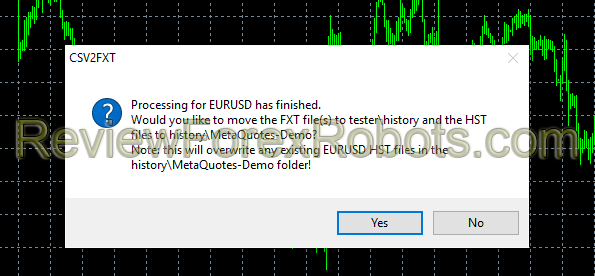
Converting to FXT That can only be due to the script trying to open a non existing file so either the CSV is being copied to the wrong folder or the named is incorrect. Check the following items: A hex editor (e.g. WinHex, Neo Hex Editor) can be used to change it at offset 0xFC. Be aware that it's going to be displayed in hexadecimal so a calculator may have to be used here. Look up the offset in FXTHeader.mqh, which is displayed next to each setting. Use a hex editor. Note that all values
Posted On:
Wed, 16 Oct 2013
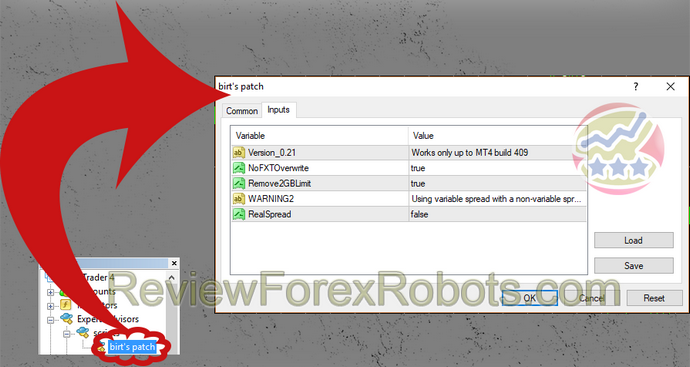
Birt's patch script removes the 2GB the Metatrader 4 limitation with FXT files and disables overwriting existing FXT files too, which effectively permits pre-created tick data FXT files usage. Birt's Patch Script Usage Before commencement of the script, it should be known that there is some limitations and no support is available for it in the official website, only the Tick Data Suite is technically supported and needs easier experience, you should check it out for its benefits while a
Posted On:
Wed, 16 Oct 2013
By reaching this guide here, you must have applied the previous guides - tick data free download and converting it for Metatrader 4 usability, so I assume that you have now the HST files in your history\[your broker's name] folder and the FXT in your tester\history folder. If this is not the case, please refer to the previous linked guides first. Enabling tick data backtesting As the latest Metatrader 4 client builds are unable to use custom FXT files anymore, a special software has to be
Posted On:
Wed, 16 Oct 2013
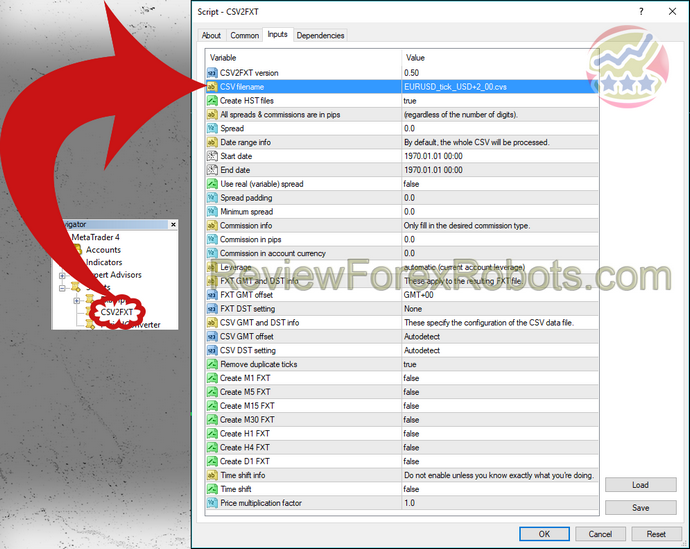
If you came here, you should have already downloaded your tick data either for free as mentioned in the Free Tick Data page from your own private source and now you are trying to use it in Metatrader 4. Converting tick data file format Native CSV file containing tick data are incompatible with Metatrader 4, so it can't be used in backtesting. FXT is the proprietary file format that contains ticks and can be read by Metatrader 4, so simply we need to convert CSV files to FXT. There is a
Posted On:
Wed, 16 Oct 2013
In fact, the Tick Data Suite is a commercial alternative for the free Birt's patch script, so every fault or deficiency in the latter are addressed in the Tick Data Suite with full technical support to its clients. Here is a brief table listing the differences between products: Feature Birt's patch Tick Data Suite Tick data backtesting yes yes Variable spread backtesting yes yes 2 GB limitation removal for FXT files partial1 yes Can use FXT files larger than 4 GB no yes Compatibility
Tags
Valery Trading
Tickmill
Algocrat AI
FXAutomater
WallStreet Forex Robot 3.0 Domination
IC
StrategyQuant X
Waka Waka
Perceptrader AI
Forex Diamond
Volatility Factor Pro
RoboForex
XM
HF Markets
InstaForex
Alpari
FX Scalper X
Forex Combo System
GPS Forex Robot
Golden Pickaxe
Forex Trend Detector
GrandCapital
Automated Forex Tools
Omega Trend
Broker Arbitrage
TradingFX VPS
AMarkets
Telegram Signal Copier
SMRT Algo
EasyAlgos AI
Quant Analyzer
AlgoCloud
Forex Trend Hunter
FXVM
Forex Gold Investor
Binance
Infinity Trader
Gold Miner
Sentinel AI
RayBOT
Gold Scalper PRO
LeapFX Trading Academy
ForexSignals.com
FxPro
ACY Securities
Zone Hunter Robot
Elirox
FX-Builder
Quant Data Manager
Commercial Network Services
FXCharger
News Scope EA PRO
Happy Forex
FXTM
BlackBull Markets
Libertex
Smart Scalper PRO
Happy Bitcoin
Pump Trader Robot
WallStreet Recovery PRO
SlingShot
Dark Kronos
Vortex Trader PRO
Swing Trader PRO
Pepperstone
VPS Forex Trader
QHoster
FX Secret Club
Best Free Scalper Pro
Magnetic Exchange
Exness
StarTrader
Forex VPS
MTeletool
Trend Matrix EA
Telegram Copier
Forex Robot Academy
Forex Robot Factory (Expert Advisor Generator)
ByBit
Database Mart
Gold Breaker
DARKEAS
Quant Tekel Funded
XAUBOT
ChartPrime
easyVPS
EGPForex
Risk
Forex trading can involve the risk of loss beyond your initial deposit. It is not suitable for all investors and you should make sure you understand the risks involved, seeking independent advice if necessary.
Forex accounts typically offer various degrees of leverage and their elevated profit potential is counterbalanced by an equally high level of risk. You should never risk more than you are prepared to lose and you should carefully take into consideration your trading experience.
Past performance and simulated results are not necessarily indicative of future performance. All the content on this site represents the sole opinion of the author and does not constitute an express recommendation to purchase any of the products described in its pages.
Sponsored By



Get Funded







Search Queries Cloud
BTC
in control
best free forex robot
أفضل إكسبرت
fx fx scalper
Fx scalper
waka waka
Fx stabilizer
原騰國際
UABTIC
fx scalper x
wallstreet forex
ProFX
forex diamond
pfx scalper
waka
Forex vps
switchback
algo pro
recovery
discount
cross pro
porsaj
waka waka news filter is disabled
futuretrading
Trailing stop
RENKO EA AUTO TRADER
trade copier
Copy trade
future indikatoren
happy gold
wall street
ARBITRAGE
data
Evening Scalper Pro
Forex inControl 3.0 Review
alpha striker
vision scalper
Me ta trader 5
Download Trailing Stop Forex Robot